Features: Call Screening
Call Screening That Stops Unwanted Calls
Find out who is calling and why before you pick up.
How Call Screening works
Call Screening lets you find out who is calling and what they want before your phone even rings. When somebody calls you, they will be asked to say their name and the reason for their call. You then hear this recording and decide whether you want to accept the call or not. It is available on CallGuard and CallGuard+ plans.
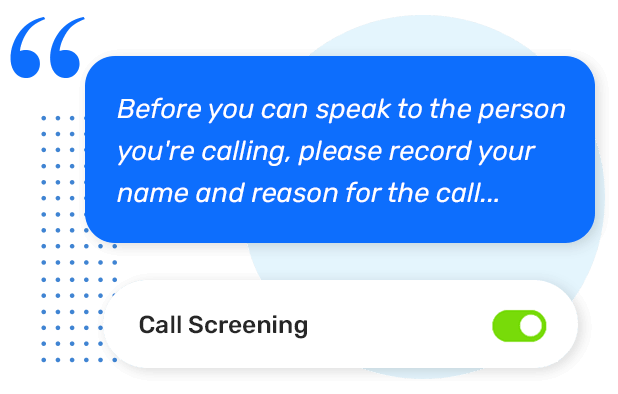
Callers identify themselves first
When Call Screening is turned on, anyone calling from an unknown number will hear the following message: "Before you can speak to the person you're calling, please record your name and reason for the call, after the tone, and when you're finished, press X", where X is a random number between 1 and 9. Once they have finished speaking and pressed the correct number, your phone will ring so you can listen to their recording and decide whether to accept or reject the call.
The number they need to press changes every time, anywhere from 1 to 9. This is designed to stop automated robocalls and AI bots from getting through to you. Only a real person who listens to the prompt and presses the right button will be put through. If the caller presses the wrong number, the call will simply end. Your phone won't even ring, so you won't be disturbed at all.
You decide whether to accept the call
Once the caller has pressed the correct number, your phone will start ringing. When you pick up, you will hear the recording of the caller stating their name and the reason for their call. After listening to this recording, you can press 1 to accept the call and be connected, or simply hang up if you don't want to speak to them.
This means you never have to deal with unwanted callers again. You are always in control, and you always know exactly who is on the other end of the line before you commit to the conversation.


Let your friends and family skip the screening
You probably wouldn't want your family and close friends to go through the screening process every single time they call you. That would get annoying for everyone pretty quickly.
The good news is you don't have to. Just add them to your Phonely Contact Book, and mark them as Family or Friend and they will go straight through to your phone without being asked to identify themselves. It is that simple. Your trusted contacts get through with no hassle, while everyone else still has to pass the screening.
Built-in bot protection
One of the cleverest parts of Call Screening is how it handles automated calls. After stating their name and reason for calling, the caller is asked to press a random number between 1 and 9. This number changes with every call, so there is no way for a robocaller or an AI bot or pre-recorded message to guess the right one.
If the caller does not press the correct number, the call simply does not go through. This quietly filters out the vast majority of spam, robocalls and AI bots that sound human before your phone ever rings, saving you time and frustration.
How do I turn on Call Screening?
It's really easy to get started. Just log into your Phonely account and go to Settings > Features Settings, then click on the "Call Screening" tab. From there you can turn it on straight away. Remember, this feature is available on CallGuard and CallGuard+ plans only. If you would like to upgrade to one of those plans, simply call our UK support team on 0800 112 5000.
Phonely's Call PlansRelated Features
Explore more from Phonely
Blogs & Updates
The latest news, updates and guides from Phonely.

Fake Home Repair Calls: Thousands of Reports Raise Concerns for UK Households

The Next Batch Has Been Revealed: Is Your Area on the Landline Switch-Off List?

UK Scam Call Trends: September 2026